Professional Portrait
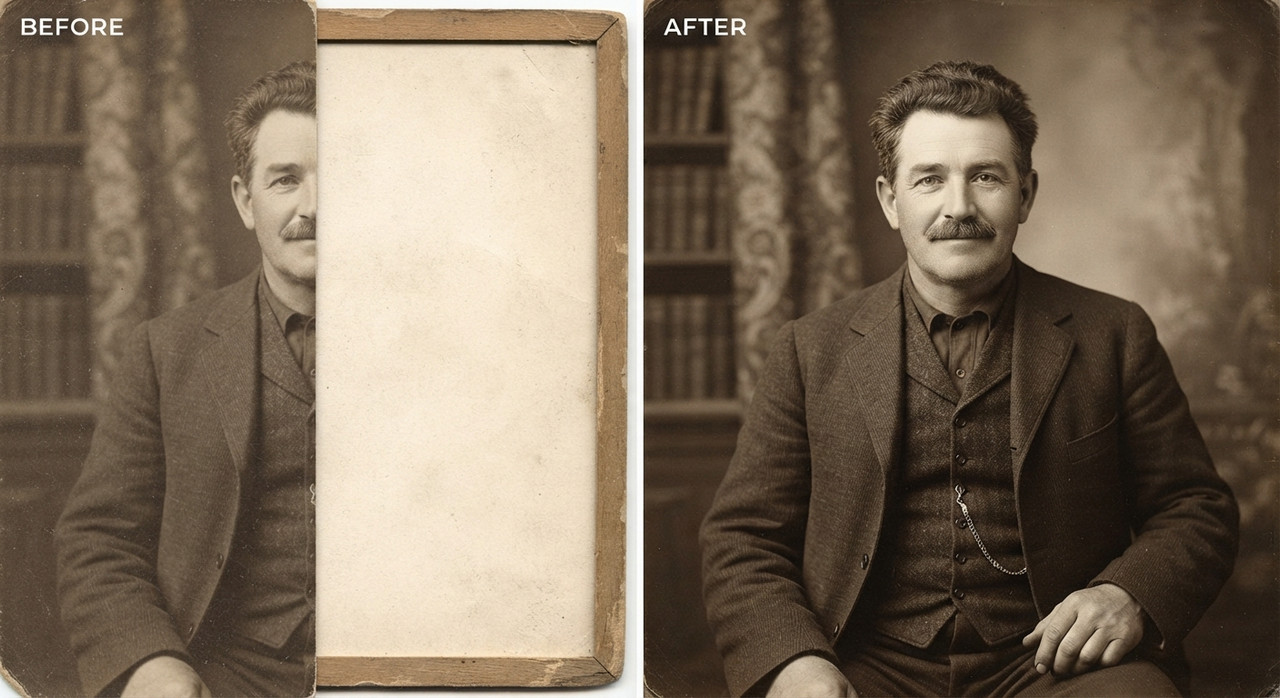
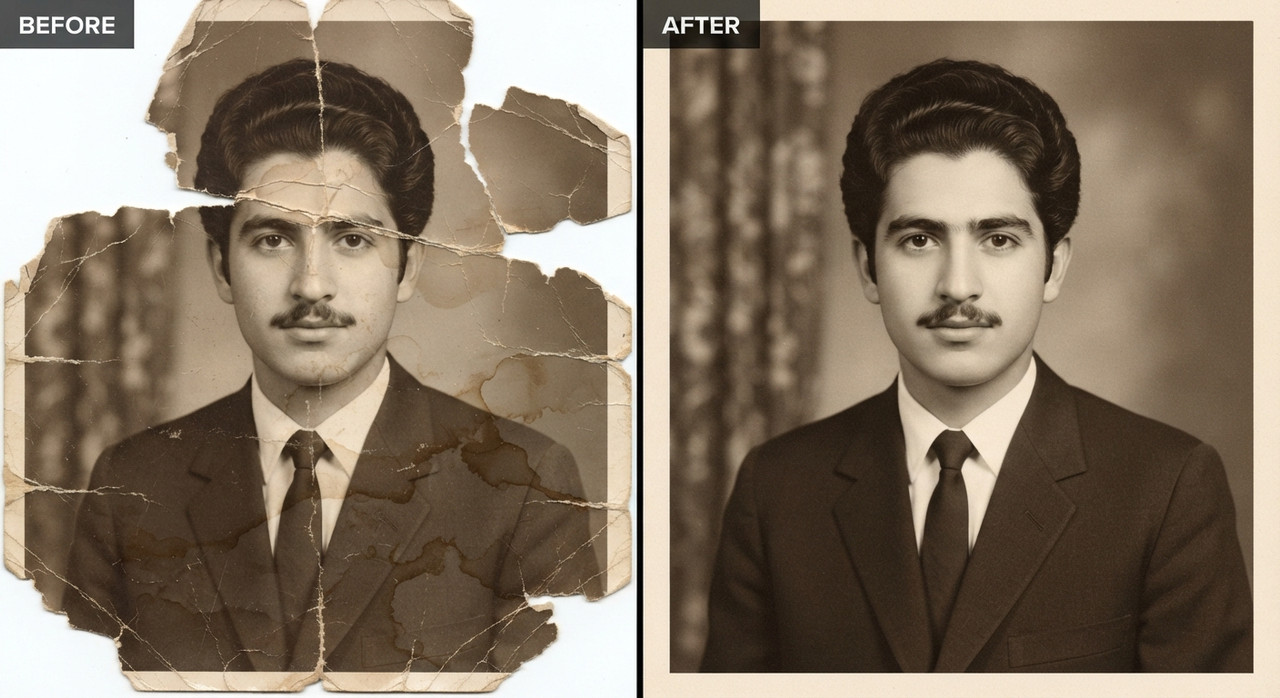
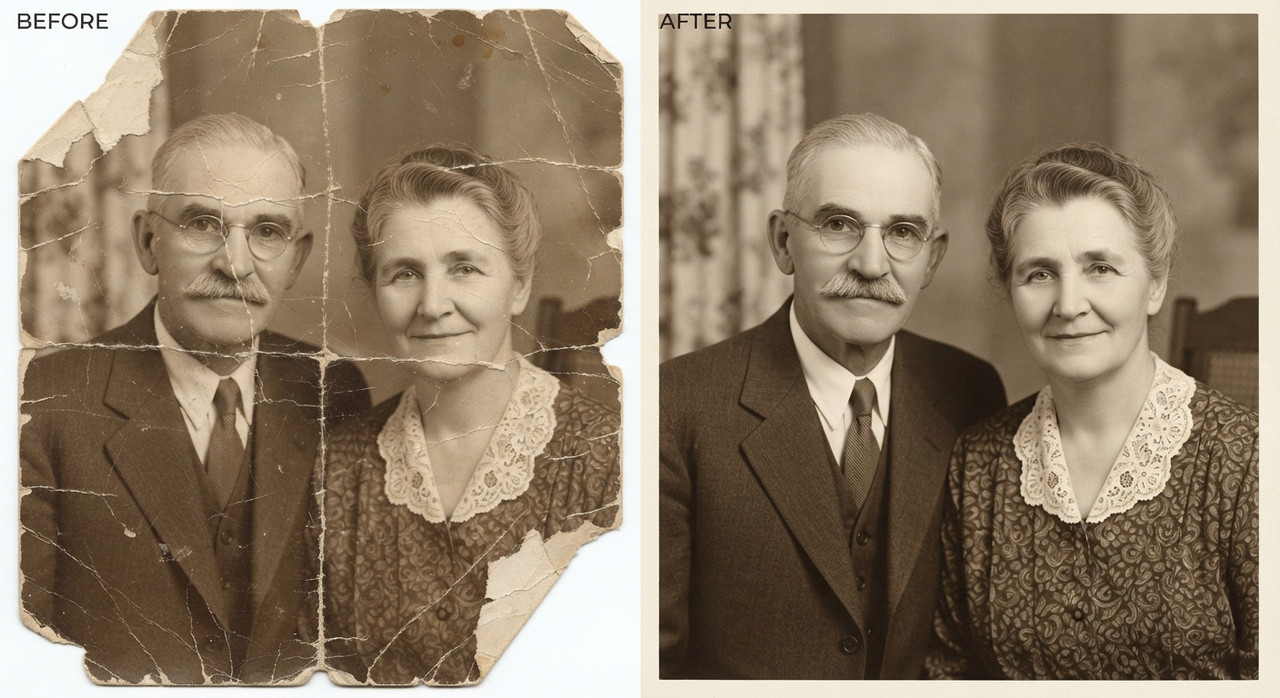
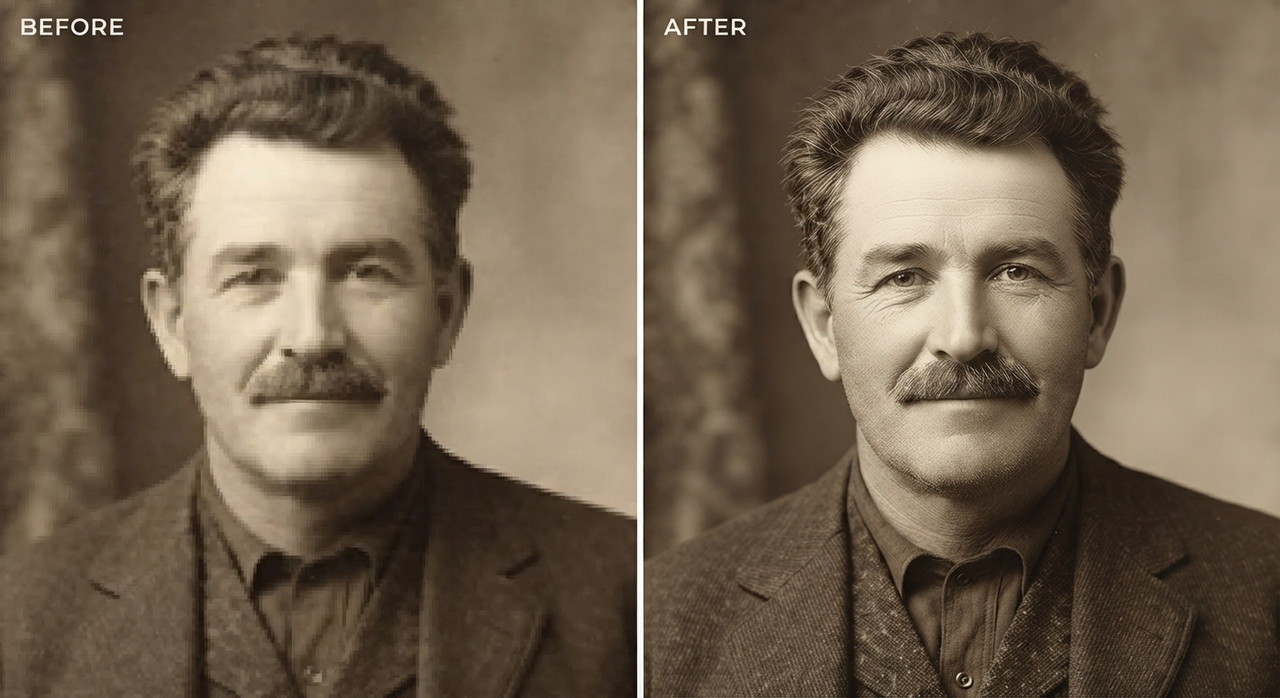
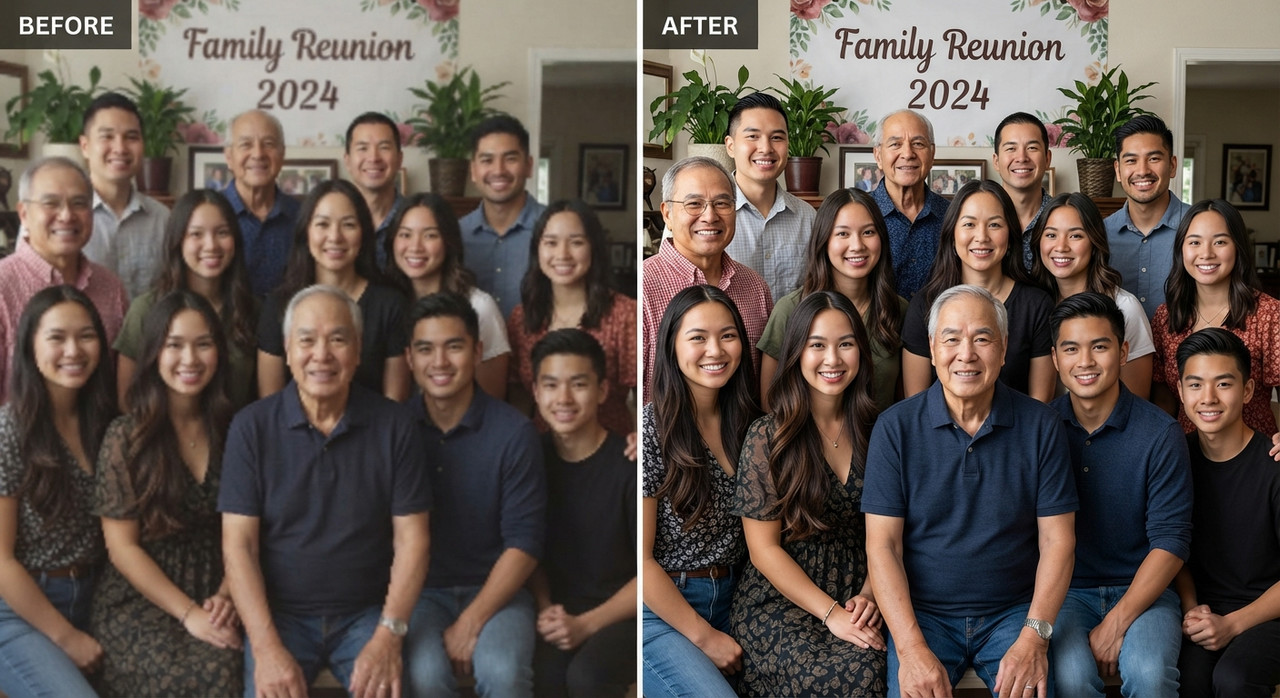
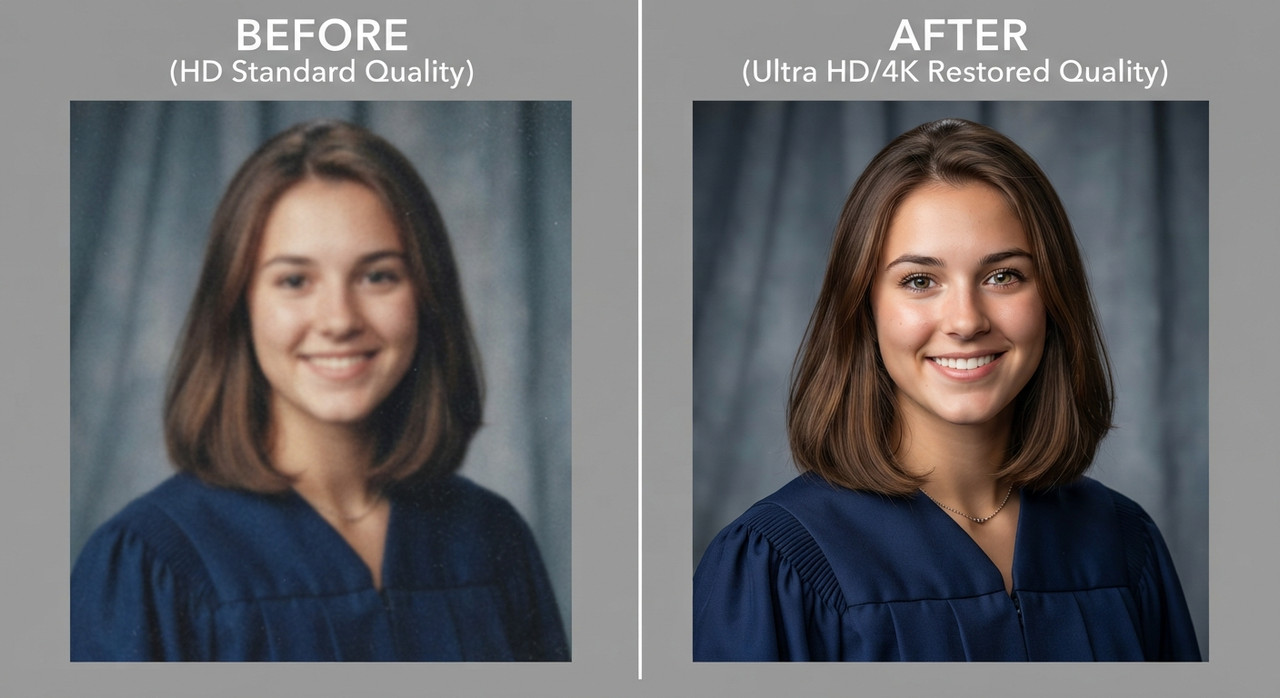
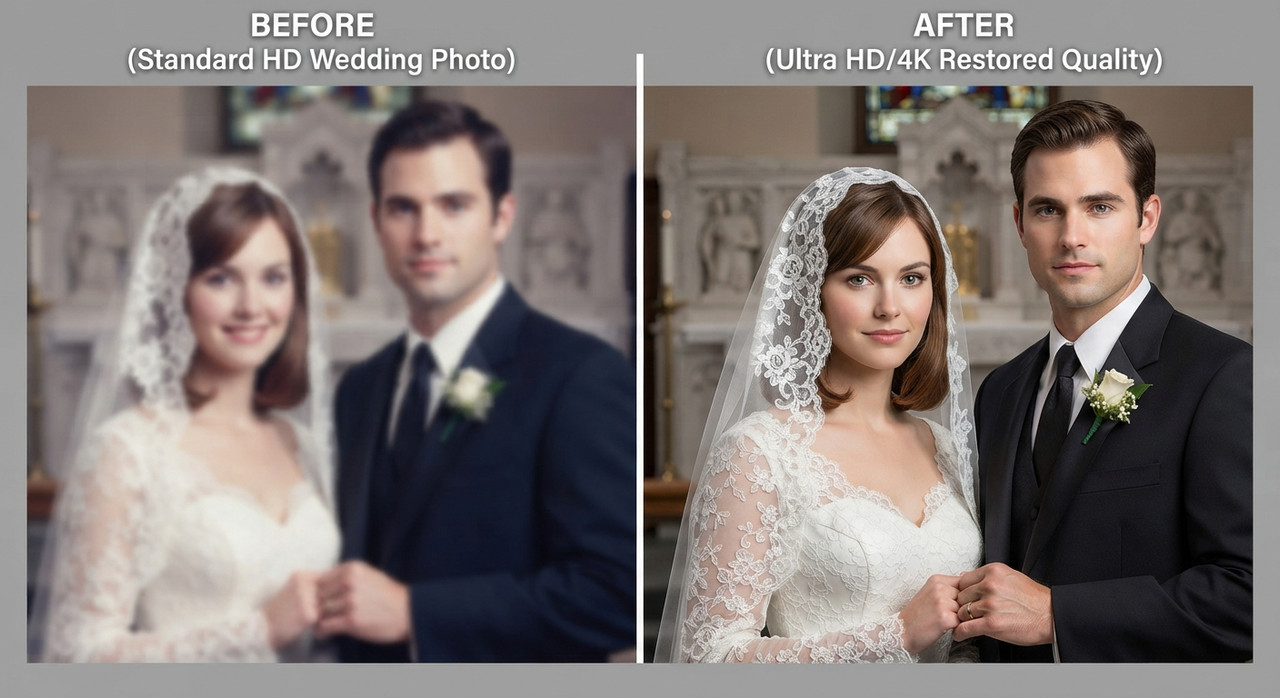
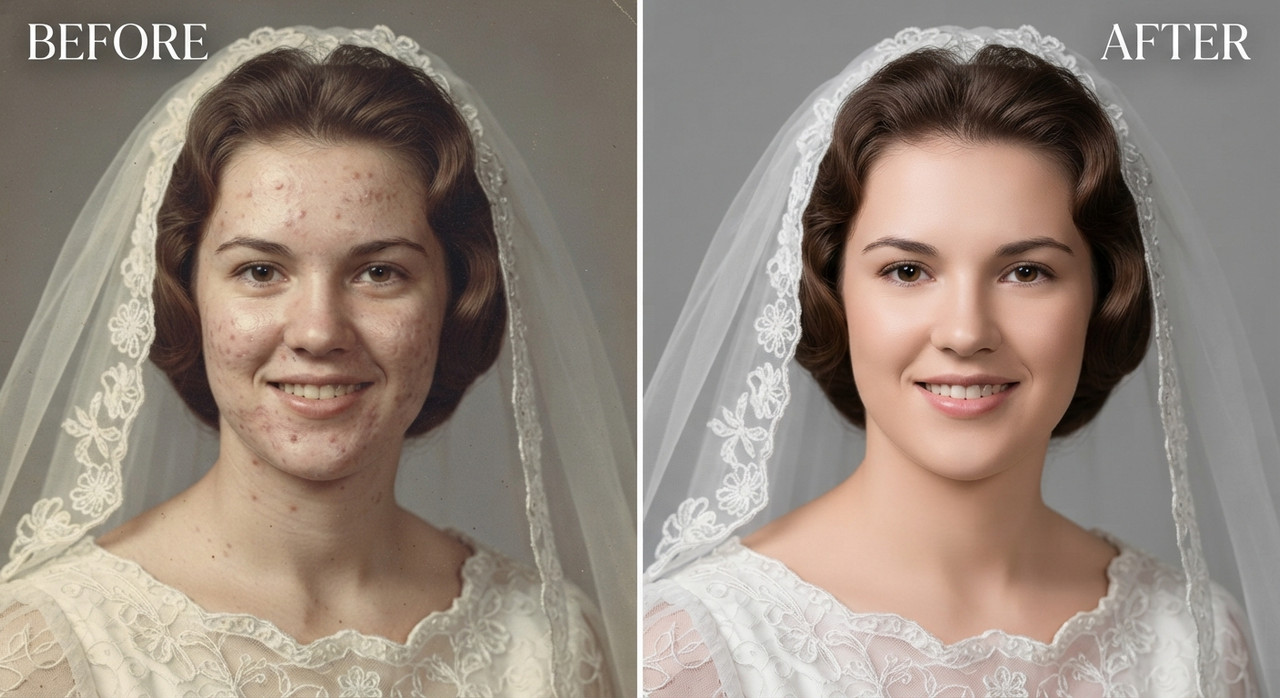
it willl upscale your portraits by fixing lighting background and facial expressions etc

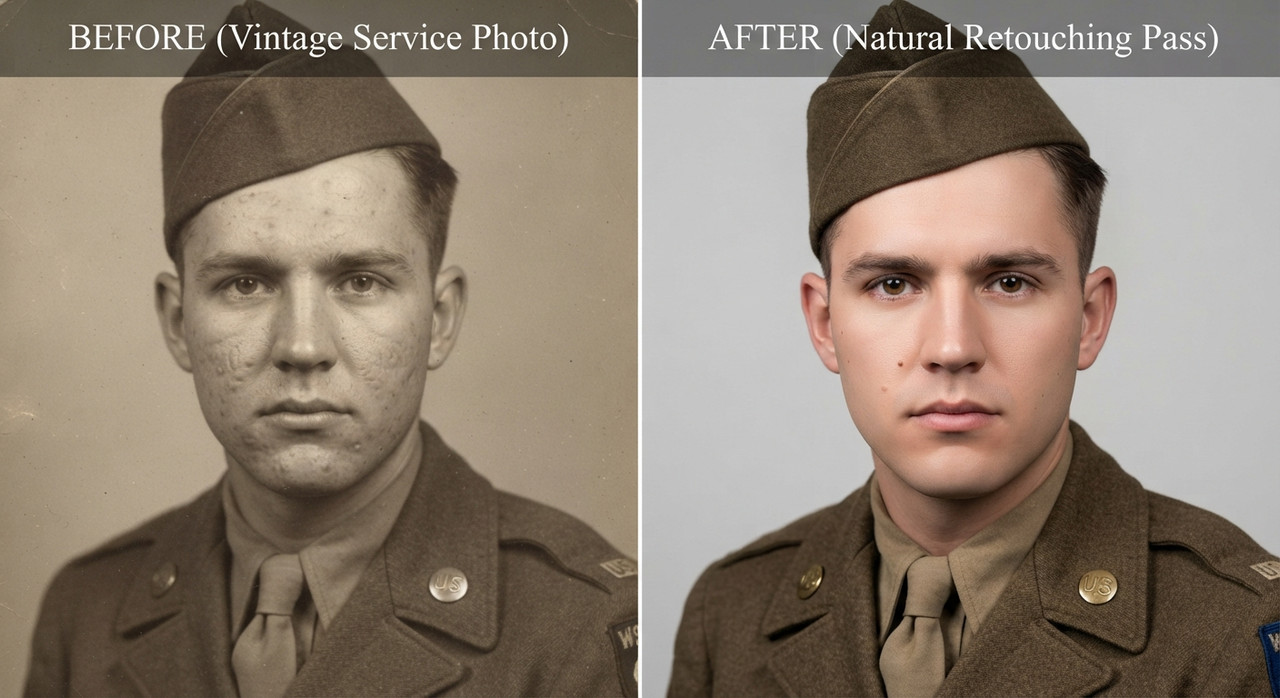
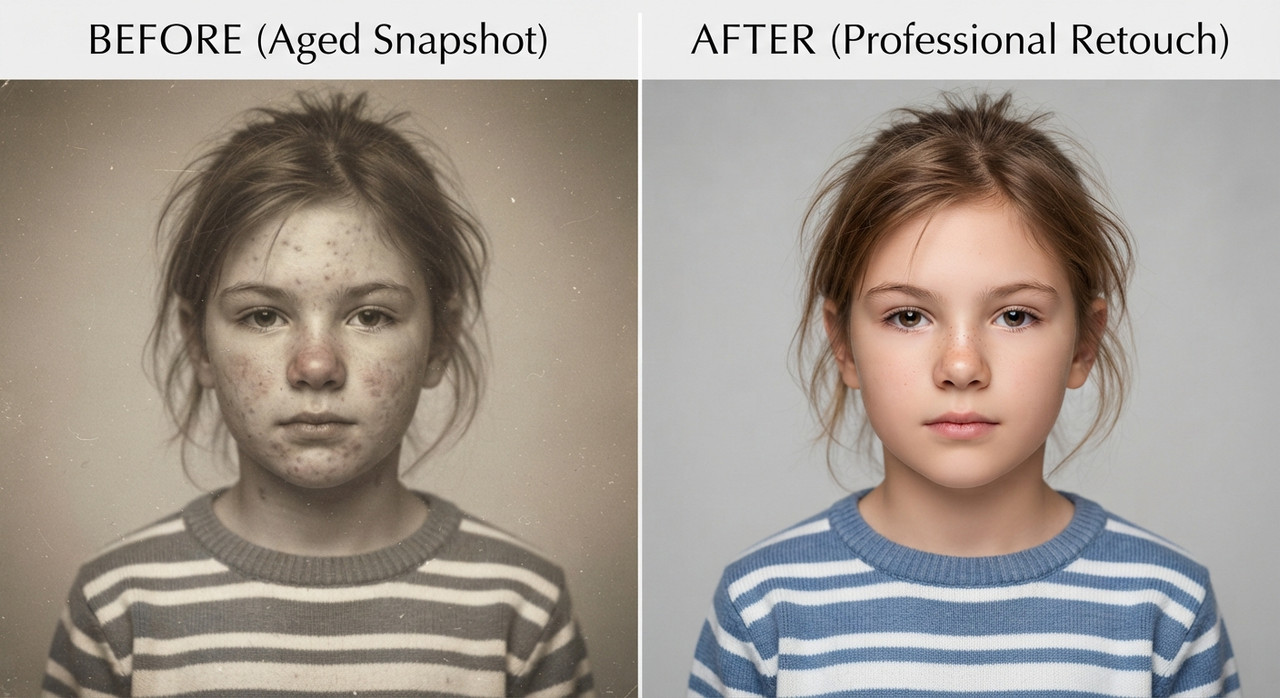
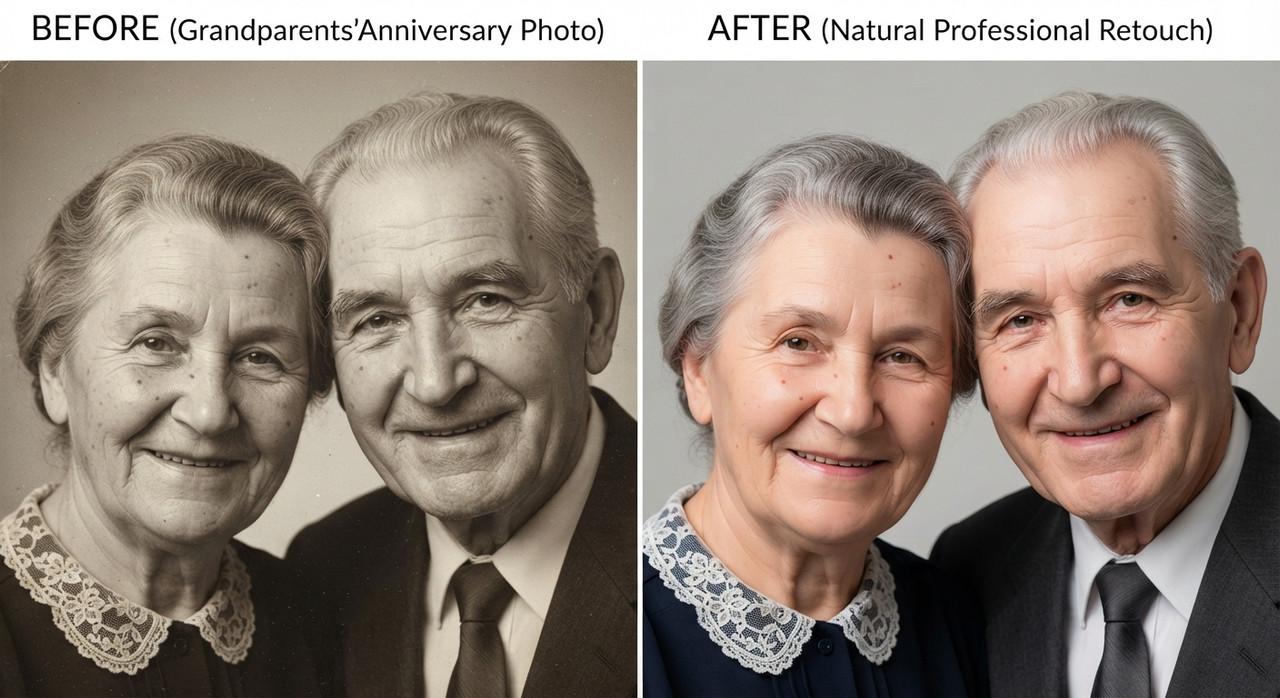
Image edit directive, convert the subject from the input photo into a clean professional studio headshot while preserving the exact clothing, hairstyle, and accessories from the original image. Studio portrait look. Tight head and shoulders framing, centered composition, neutral confident expression, eyes directly toward camera. Professional talent headshot aesthetic used by casting agencies and magazine profiles. Background minimal seamless light grey studio backdrop with soft falloff. No visible texture or environment. Lighting setup high end studio beauty lighting. Large soft key light slightly above eye level, centered but angled down. Soft fill from front to remove harsh shadows. Subtle rim light behind shoulders for separation. Even illumination across face with gentle shadow under jawline. Catchlights visible in both eyes. Camera perspective eye level. Shot on common 85mm 118 portrait lenses. Crisp focus on eyes, shallow depth of field so ears and shoulders fall slightly softer. Skin rendering realistic and professional. Natural pores visible, subtle skin texture, no plastic smoothing. Balanced color grading, neutral skin tones, clean contrast. Hair carefully groomed but natural. Individual strands visible. Clothing preserved exactly as in the source image with accurate fabric texture, folds, and color. Retouch level magazine professional but realistic. Remove temporary blemishes only keep natural facial structure, freckles, pores, and fine lines. Final look polished agency headshot. Neutral background, balanced lighting, symmetrical framing, professional studio finish.
Try this prompt in
How to Use This Prompt
Professional Portrait is a ready-to-use AI image prompt designed for image upscaling who want consistent, high-quality results without spending hours on trial and error. it willl upscale your portraits by fixing lighting background and facial expressions etc
Use this prompt whenever you need polished visuals for image upscaling workflows — typical moments include client work, content production, classroom prep, and rapid iteration on ideas. Copy the full prompt, paste it into your preferred AI tool, and replace any bracketed placeholders with your own specifics (topic, brand, subject, or constraints).
For best results, give the model a clear context line before pasting, keep your replacements concrete (numbers, names, examples), and regenerate 2–3 variations to pick the strongest composition. Pair it with the customization tips below to adapt it to your exact use case.
Example Output
Expect a sharp, well-composed image with clean subject framing, balanced lighting, and portrait, blur background details suitable for direct use in social posts, thumbnails, or product mockups.
it willl upscale your portraits by fixing lighting background and facial expressions etc
Prompt Details
Customization Tips
- Swap the subject for your own — replace the main noun with your product, character, or scene.
- Change the lighting (golden hour, studio softbox, neon night) to shift the mood.
- Add a specific camera or lens reference (e.g. "shot on 35mm, f/1.8") for a photo feel.
- Lock the aspect ratio to match your platform (9:16 for Reels, 16:9 for YouTube).
- Add or remove a style modifier like "cinematic", "minimalist", or "editorial".
- Specify a color palette in hex or named colors to match your brand.
- Append "no text, no watermark" to keep outputs clean.
- Use negative prompts (e.g. "no blur, no extra fingers") if your model supports them.
Frequently Asked Questions
What is the "Professional Portrait" prompt used for?
it willl upscale your portraits by fixing lighting background and facial expressions etc
Which AI model works best for portrait?
Run it on Nano Banana Pro (Gemini 3 Image) first. If the result feels flat, try Midjourney v7 or Flux.2 Pro — each interprets portrait slightly differently.
Is the Professional Portrait prompt free?
It costs nothing here. Copy it, adapt it, ship it — personal or commercial use is fine.
Can I sell or publish images made with this portrait prompt?
Usually yes, but rights come from the image tool, not from us. Paid tiers of Nano Banana Pro (Gemini 3 Image) and Midjourney v7 currently grant commercial use — check their live terms before a paid client delivery.
Why does my result look different from the example?
Model updates and random sampling both shift results. Locking a seed (where supported) or repeating the run two or three times gets you closest to the example.
Reviews(0)
Related prompts