'%20stroke='url(%23pc-grad)'%20stroke-width='3'%20stroke-linejoin='round'%20stroke-linecap='round'%20fill='none'%3e%3cpath%20d='M14%2012%20H46%20a8%208%200%200%201%208%208%20v14%20a8%208%200%200%201%20-8%208%20H36%20l-8%208%20v-8%20H14%20a8%208%200%200%201%20-8%20-8%20V20%20a8%208%200%200%201%208%20-8%20z'/%3e%3cpath%20d='M18%2022%20H42'%20/%3e%3cpath%20d='M18%2028%20H38'%20/%3e%3cpath%20d='M18%2034%20H34'%20/%3e%3c/g%3e%3cg%20fill='url(%23pc-grad)'%20filter='url(%23pc-glow)'%3e%3cpath%20d='M40%2038%20l10%2010%20-3%206%20-3%20-3%20-6%203%20z'%20opacity='0.95'/%3e%3ccircle%20cx='44'%20cy='49'%20r='1.5'%20fill='%230b0b14'/%3e%3c/g%3e%3c/svg%3e)
ChatGPT + YouTube: The Ultimate Full Course for Content Creators
Unlock the power of AI to supercharge your YouTube channel. This complete course covers how to use ChatGPT to increase your views, grow subscribers, and maximize revenue.
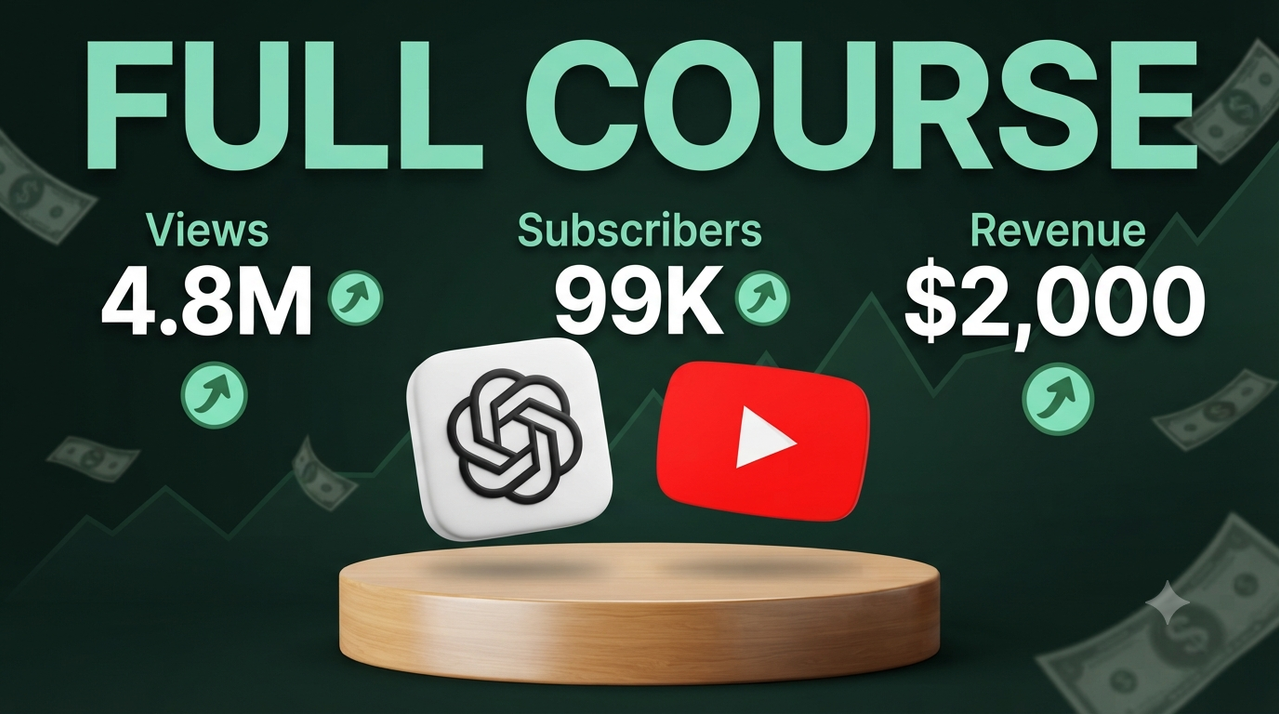
/imagine prompt: A professional, high-resolution YouTube thumbnail designed for a business/finance or technology channel. The background is a dark, gradient forest green, overlaid with a subtle, ascending stock chart line and floating, semi-transparent dollar bill graphics. At the very top, large, bold, high-contrast typography in a mint-green color displays the exact text: "FULL COURSE". Below the main title, arrange three columns of text with smaller mint-green labels and large, white, bold numbers, each followed by a green circle icon with a white arrow pointing up. Column 1: Label "Views" above "[VIEWS_COUNT]" (e.g., 4.8M). Column 2: Label "Subscribers" above "[SUBSCRIBERS_COUNT]" (e.g., 99K). Column 3: Label "Revenue" above "[REVENUE_AMOUNT]" (e.g., $2,000). In the center of the composition, positioned on a polished, light-wood cylindrical pedestal (like a product stage), are two large, floating 3D icons. On the left: The OpenAI ChatGPT logo icon (black symbol on a white square). On the right: The classic red YouTube play button icon. The lighting is clean and professional studio lighting, making the elements pop against the dark background. The overall composition is trustworthy, educational, and optimized for high engagement. --ar 16:9 --v 6.0
Try this prompt in
How to Use This Prompt
ChatGPT + YouTube: The Ultimate Full Course for Content Creators is a ready-to-use AI text prompt designed for youtube-thumbnail who want consistent, high-quality results without spending hours on trial and error. Unlock the power of AI to supercharge your YouTube channel. This complete course covers how to use ChatGPT to increase your views, grow subscribers, and maximize revenue.
Use this prompt whenever you need reliable written output for youtube-thumbnail workflows — typical moments include client work, content production, classroom prep, and rapid iteration on ideas. Copy the full prompt, paste it into your preferred AI tool, and replace any bracketed placeholders with your own specifics (topic, brand, subject, or constraints).
For best results, give the model a clear context line before pasting, keep your replacements concrete (numbers, names, examples), and ask a short follow-up to refine tone or length. Pair it with the customization tips below to adapt it to your exact use case.
Example Output
Expect a structured, ready-to-use response covering ChatGPT tutorial, YouTube growth, content creation course in a clear format you can paste straight into your workflow with only light edits.
Prompt Details
Customization Tips
- Replace placeholders with your actual ChatGPT tutorial details for sharper, on-brand output.
- Set a target length ("respond in ~150 words" or "in 5 bullet points").
- Specify the audience reading level (beginner, expert, executive).
- Ask for the output in a specific format — table, JSON, Markdown, email.
- Add a tone instruction: friendly, formal, witty, persuasive.
- Chain a follow-up: "now rewrite for LinkedIn" or "make it 30% shorter".
- Constrain with examples — paste 1–2 samples of the style you want to match.
- Add a "do not" list to block common mistakes (no emojis, no fluff, no disclaimers).
Frequently Asked Questions
What is the "ChatGPT + YouTube: The Ultimate Full Course for Content Creators" prompt used for?
Unlock the power of AI to supercharge your YouTube channel. This complete course covers how to use ChatGPT to increase your views, grow subscribers, and maximize revenue.
Which AI models work best with this prompt?
It works across all major models, but you'll get the strongest results from GPT-4o, Claude 3.5 Sonnet, Gemini 1.5 Pro.
Is this prompt free to use?
Yes. Every prompt on PromptCraft is free, requires no signup, and can be copied with one click for personal or commercial projects.
Can I edit the prompt?
Absolutely. Treat it as a starting template — swap in your topic, audience, and tone. See the customization tips above for proven tweaks.
Why is my output different from the example?
AI models are non-deterministic — the same prompt produces variations each run. Regenerate 2–3 times and pick the strongest result, or refine with a short follow-up instruction.