Apple Store Grand Opening YouTube Thumbnail Prompt | Luxury Tech Design AI YouTube Thumbnail Prompt
Craft luxury Apple Store grand opening or tech event YouTube thumbnails with golden architecture, ceremonial ribbons, and smiling presenter reactions.
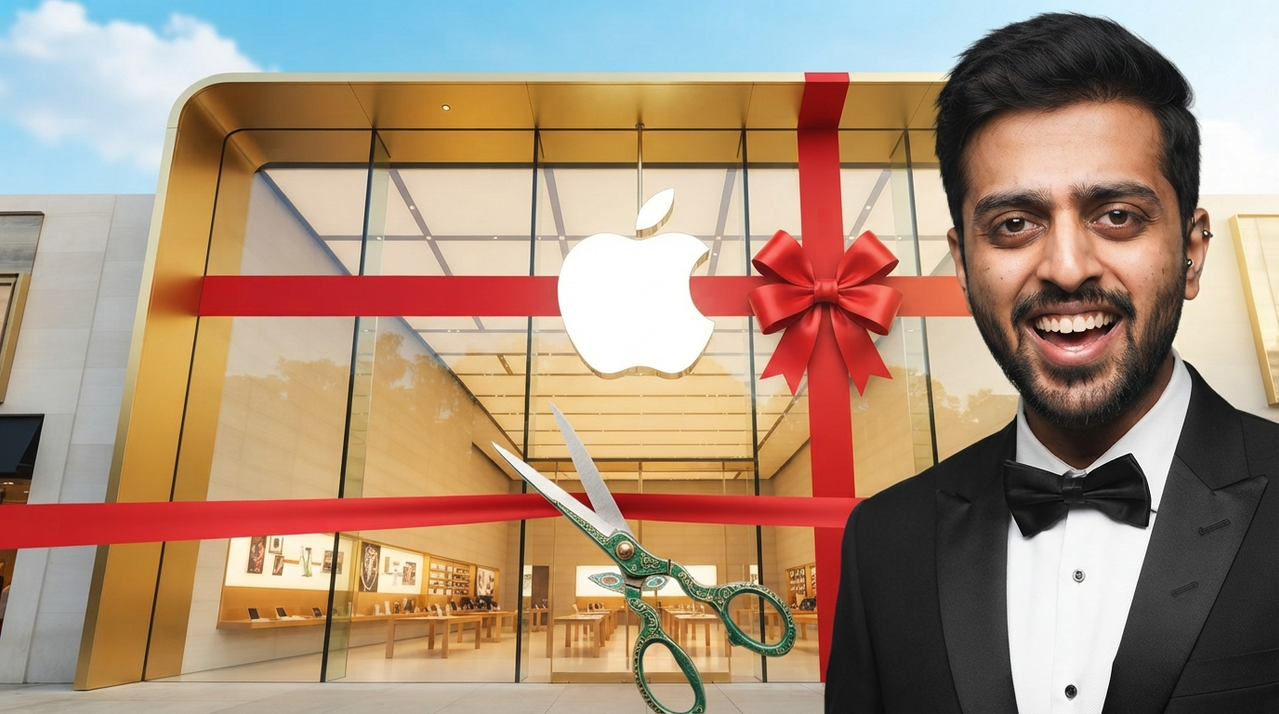
A high-end, professionally lit YouTube thumbnail featuring a grand Apple Store storefront with a golden and glass architecture design. A large white Apple logo is mounted on the front glass facade, adorned with a large red gift ribbon running across the building. In the foreground, a pair of decorative green-handled scissors is held up as if cutting a ribbon opening ceremony. On the right side, seamlessly integrate the user's provided face photo showing a smiling and enthusiastic man wearing a formal black tuxedo with a bowtie. The background above shows a bright blue sky with soft white clouds. Exclude any timestamp from the bottom right corner.
Try this prompt in
How to Use This Prompt
Apple Store Grand Opening YouTube Thumbnail Prompt | Luxury Tech Design AI YouTube Thumbnail Prompt is a ready-to-use AI text prompt designed for youtube-thumbnail who want consistent, high-quality results without spending hours on trial and error. Craft luxury Apple Store grand opening or tech event YouTube thumbnails with golden architecture, ceremonial ribbons, and smiling presenter reactions.
Use this prompt whenever you need reliable written output for youtube-thumbnail workflows — typical moments include client work, content production, classroom prep, and rapid iteration on ideas. Copy the full prompt, paste it into your preferred AI tool, and replace any bracketed placeholders with your own specifics (topic, brand, subject, or constraints).
For best results, give the model a clear context line before pasting, keep your replacements concrete (numbers, names, examples), and ask a short follow-up to refine tone or length. Pair it with the customization tips below to adapt it to your exact use case.
Example Output
Expect a structured, ready-to-use response covering Apple Store Thumbnail, Tech Event Prompt, YouTube AI Generator in a clear format you can paste straight into your workflow with only light edits.
Prompt Details
Customization Tips
- Replace placeholders with your actual Apple Store Thumbnail details for sharper, on-brand output.
- Set a target length ("respond in ~150 words" or "in 5 bullet points").
- Specify the audience reading level (beginner, expert, executive).
- Ask for the output in a specific format — table, JSON, Markdown, email.
- Add a tone instruction: friendly, formal, witty, persuasive.
- Chain a follow-up: "now rewrite for LinkedIn" or "make it 30% shorter".
- Constrain with examples — paste 1–2 samples of the style you want to match.
- Add a "do not" list to block common mistakes (no emojis, no fluff, no disclaimers).
Frequently Asked Questions
What is the "Apple Store Grand Opening YouTube Thumbnail Prompt | Luxury Tech Design AI YouTube Thumbnail Prompt" prompt used for?
Craft luxury Apple Store grand opening or tech event YouTube thumbnails with golden architecture, ceremonial ribbons, and smiling presenter reactions.
Which AI model works best for Apple Store Thumbnail?
In 2026 testing, Nano Banana Pro (Gemini 3 Image) produces the cleanest results, with Midjourney v7 and Flux.2 Pro close behind. The wording is model-agnostic, so older versions still work.
Is the Apple Store Grand Opening YouTube Thumbnail Prompt | Luxury Tech Design AI YouTube Thumbnail Prompt prompt free?
Yes — it's free on PromptCraft, no account needed, and you can reuse it in client or commercial work.
Can I sell or publish images made with this Apple Store Thumbnail prompt?
Usually yes, but rights come from the image tool, not from us. Paid tiers of Nano Banana Pro (Gemini 3 Image) and Midjourney v7 currently grant commercial use — check their live terms before a paid client delivery.
Why does my result look different from the example?
Model updates and random sampling both shift results. Locking a seed (where supported) or repeating the run two or three times gets you closest to the example.
Reviews(0)
Related prompts